
How to Get Your Expo or Event Listed on MorphMarket
We’re excited to help promote your event and provide tools that improve the vendor and attendee experience.
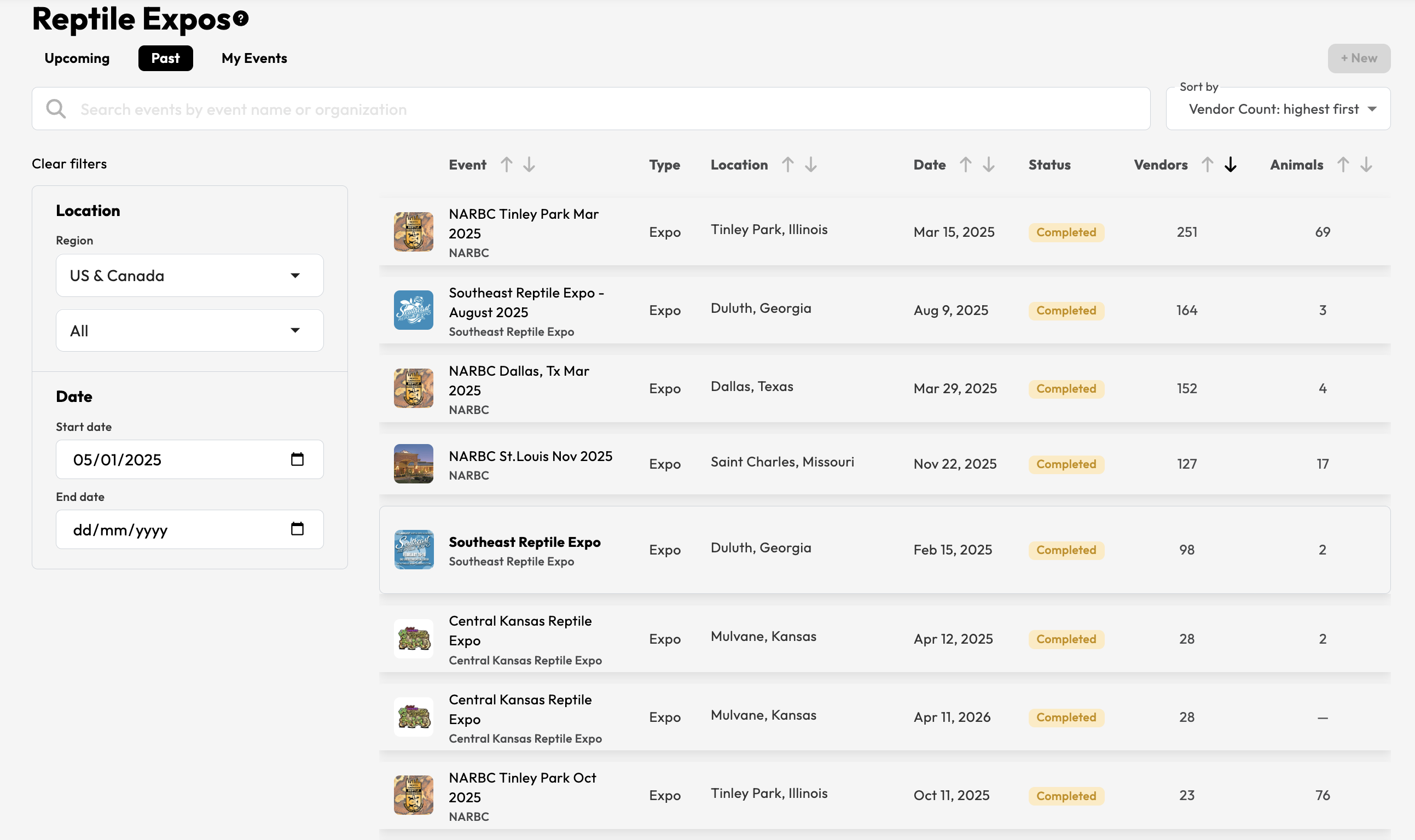
Expo organizers can now create and manage their own events directly on MorphMarket.
To create a new expo or event
To create a new expo or event, simply follow the steps below using your Expo Organization account.
Please note that only accounts set up as an Expo Organization can create events. If your account is not set up as an expo organizer, you will not see the My Events tab or + New button.
To create a new expo or event:
- Log in to your MorphMarket account.
- Go to the Expos page.
- Open the My Events tab.
- Click + New.
- Fill out the event form with your event details.
- Click Create Event.
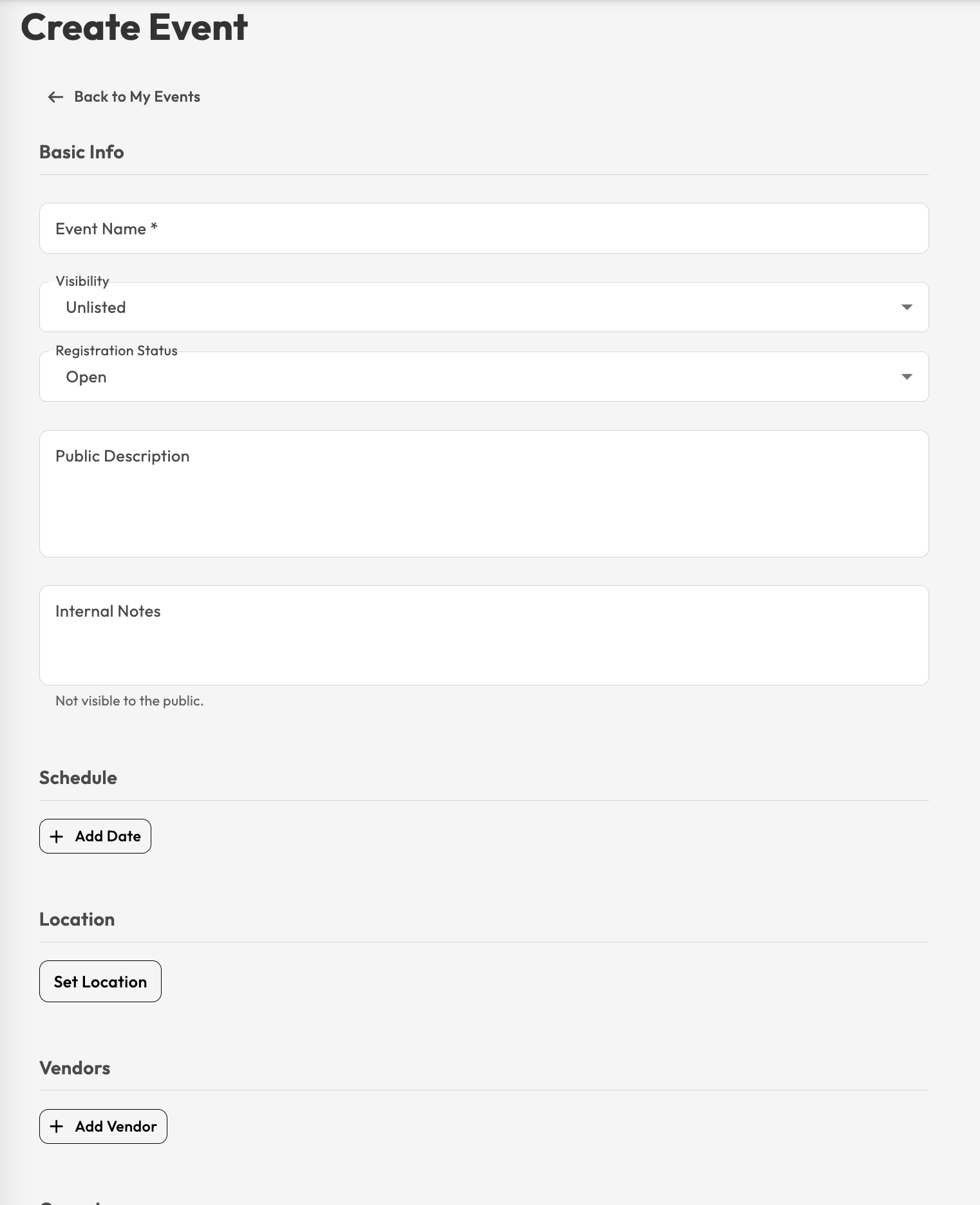
The event form lets you add the key details attendees and vendors need, including the event name, visibility, registration status, public description, schedule, location, vendors, cover image, and website or social media links.
You can also add internal notes for your own organization. These notes are not shown publicly.
If you need an Expo Organization account, please create a new MorphMarket account using an email address that is not already connected to an existing MorphMarket account. Once the account has been created, contact [email protected], and we will switch it to an Expo Organization account for you.